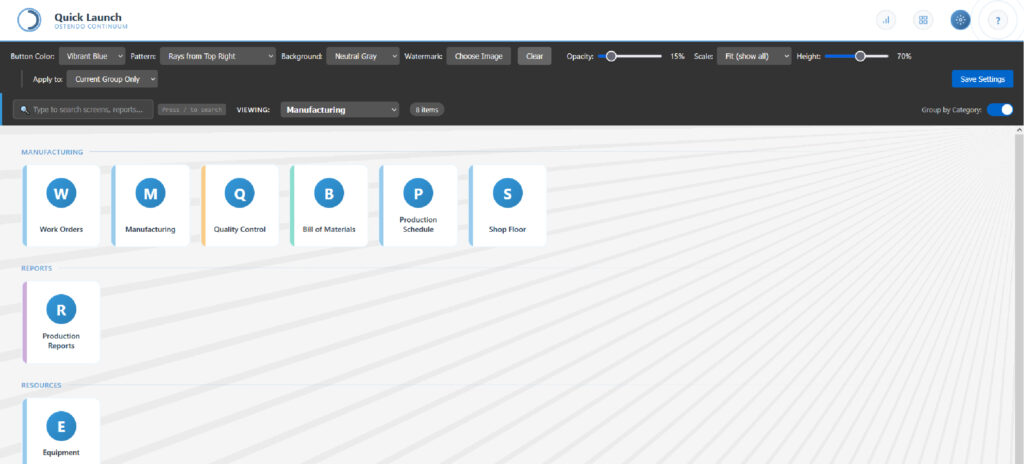
The Launch Screen serves as the central hub for accessing all Ostendo functionality. Rather than navigating through menus, users see a clean grid of shortcuts organised by functional category—Manufacturing, Reports, Resources, and more. Each category displays its items with distinctive colour-coded buttons for instant recognition.
The settings panel provides extensive customisation options. Choose from multiple colour schemes for buttons, select background patterns (including subtle rays and gradients), set custom watermark images, and adjust opacity levels. Settings can be applied globally or to individual category groups, enabling departments to establish their own visual identity while maintaining a cohesive overall design.
Keyboard navigation accelerates daily workflows. The search bar provides instant filtering—type any part of a screen name to narrow the display immediately. With keyboard shortcut support (press “/” to search), experienced users can launch any screen in seconds without touching the mouse.